



Website architecture and best SEO practices aren’t just about how your site looks; it’s the skeletal system that supports your entire digital presence. For search engines, a well-structured site acts as a roadmap for crawlers. For users, it’s the difference between a seamless conversion and a frustrated “back-button” click.
In this guide, we explore the 15 best SEO practices to ensure your site is built for both bots and humans.
Master the “Flat” Hierarchy Structure
The most successful websites share a common trait: simplicity. A “flat” architecture ensures that no piece of critical content is buried too deep.
Keeping Content Within 3 Clicks of the Homepage
Google assigns the most “authority” (or PageRank) to your homepage. As a link moves further away from the home base, because it loses link equity. The gold standard is the 3-click rule: a user should be able to find any piece of information within three clicks. Because this ensures that “link juice” flows efficiently to your deep pages, signaling to Google that they are important.
Avoiding Deeply Nested Subdirectories by keeping best SEO practices in mind
Avoid URLs that look like /blog/2023/category/topic/post-title. This creates a “deep” site where search engine spiders have to work harder to find content. A flatter structure like /category/post-title/ is easier to crawl and more intuitive for users to navigate.
Optimize Your Internal Linking Strategy
Internal links are the “connective tissue” of your website architecture. Because they help distribute authority and define the relationship between pages.
Using Descriptive and Relevant Anchor Text
Forget “click here.” Use descriptive anchor text that tells the search engine exactly what the destination page is about. For example, instead of “read more,” use “complete guide to technical SEO.” This helps with semantic search understanding.
Creating Topic Clusters to Build Topical Authority
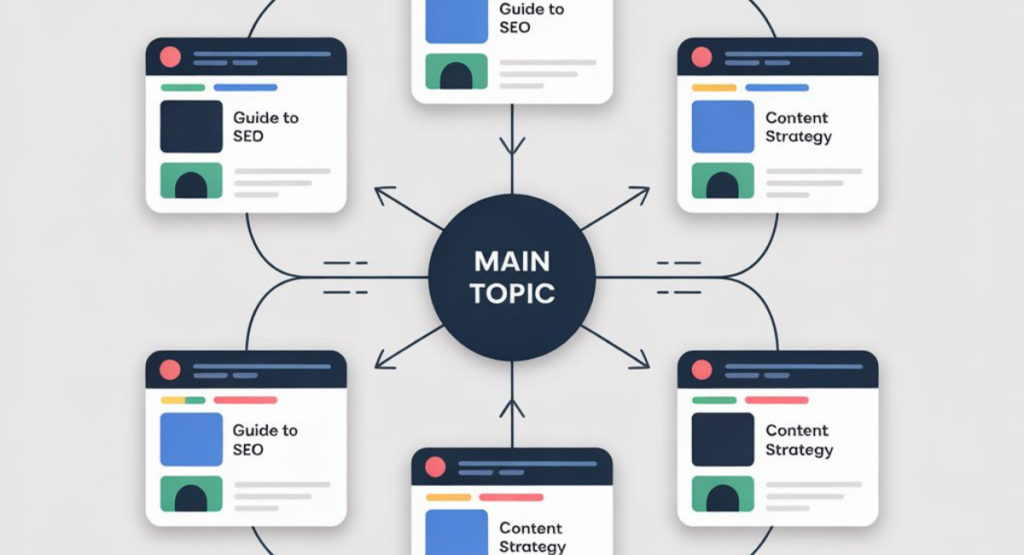
The “Hub and Spoke” model is a powerhouse for SEO. Create one massive “Pillar Page” (the Hub) and link it to several detailed “Cluster Pages” (the Spokes).
- The Hub: A broad overview of a topic.
- The Spokes: Specific sub-topics that link back to the hub. This structure proves to Google that you have comprehensive coverage of a niche, boosting your Topical Authority.
Design User-Friendly Navigation Menus
Navigation is the primary way users interact with your architecture. If they get lost, your bounce rate will skyrocket.
Implementing “Breadcrumb” Navigation for Better UX
Breadcrumbs are those small text paths at the top of a page (e.g., Home > SEO > Technical SEO). Because they serve two purposes: they help users navigate back to higher-level categories, and they provide Google with a clear trail of how your site is categorized.
Balancing Mega-Menus vs. Simple Navigation
While “Mega-Menus” (large dropdowns) are great for e-commerce, they can overwhelm the user and dilute link equity if they contain too many links. For most blogs and service sites, a clean, focused navigation menu is superior for Crawl Budget management.
Craft SEO-Friendly URL Structures
URL Structures
Your URL is the first thing a search engine sees. It should be clean, readable, and keyword-rich.
Using Keywords and Hyphens in Clean Permalinks
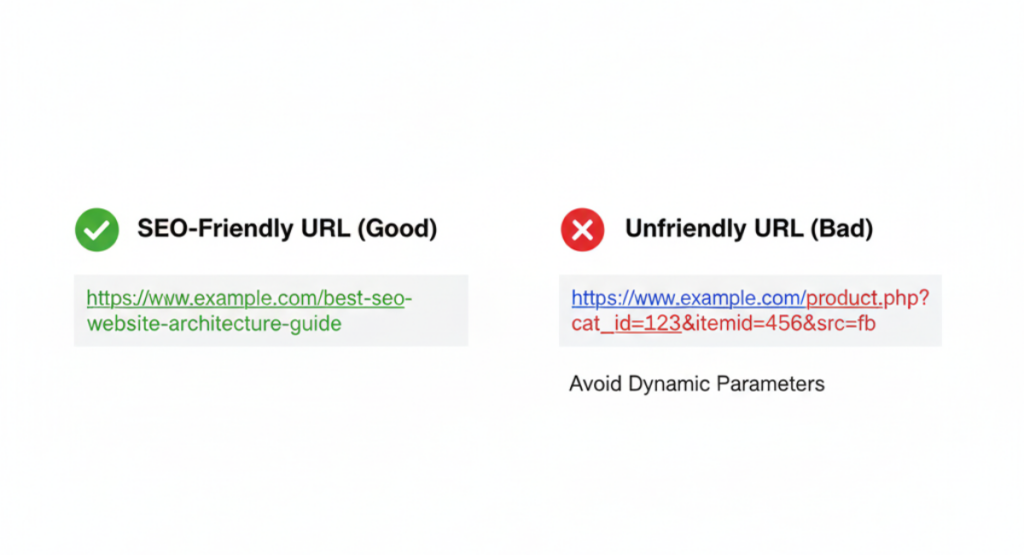
A perfect URL looks like: example.com/seo-website-architecture/. It uses hyphens to separate words (Google doesn’t read underscores well) and includes the primary keyword.
Minimizing URL Length and Avoiding Dynamic Parameters
Short URLs tend to rank better. Avoid dynamic strings like ?id=123&cat=456. These are “ugly” URLs that provide no context to the user and can sometimes cause indexing loops for bots.
Leverage Silo Architecture for Content Organization
Siloing is the process of grouping related content into distinct sections to prevent “topic bleed.”
Grouping Related Content into Logical Categories
If you run a fitness site, you should have distinct silos for “Weight Loss,” “Muscle Building,” and “Nutrition.” By keeping the internal links mostly within the silo, you reinforce the relevance of that section.
Solve Technical Duplicate Content Issues

Duplicate content confuses search engines because they don’t know which version to rank, often resulting in neither ranking well.
Implementing Canonical Tags to Prevent Diluted Rankings
If you have similar content (e.g., a product page accessible via two different URLs), use the rel=”canonical” tag. This tells Google: “Hey, this is the master version; ignore the others.”
Managing “Faceted Navigation” for E-commerce Sites
Faceted navigation (filters for size, color, price) can create thousands of duplicate URLs. Use robots.txt or Noindex tags to ensure these filtered pages don’t eat up your crawl budget.
Prioritize Mobile-First Indexing

Since 2019, Google predominantly uses the mobile version of a site’s content for indexing and ranking.
Ensuring Responsive Design Across All Devices
Your architecture must be fluid. Because site that looks great on desktop but breaks on a smartphone will be penalized. Responsive design ensures your URL structure and HTML remain the same across devices, which is Google’s preferred method.
8.Enhance Crawlability with XML Sitemaps
An XML sitemap is essentially a digital filing cabinet you hand directly to Google.
Organizing Your Sitemap for Faster Search Engine Discovery
Don’t just set it and forget it. Ensure your sitemap only includes “200 OK” pages (no redirects or 404s). If your site is massive, consider using multiple sitemaps (e.g., one for posts, one for categories) to stay within the 50,000 URL limit per file.
Improve Page Speed and Core Web Vitals

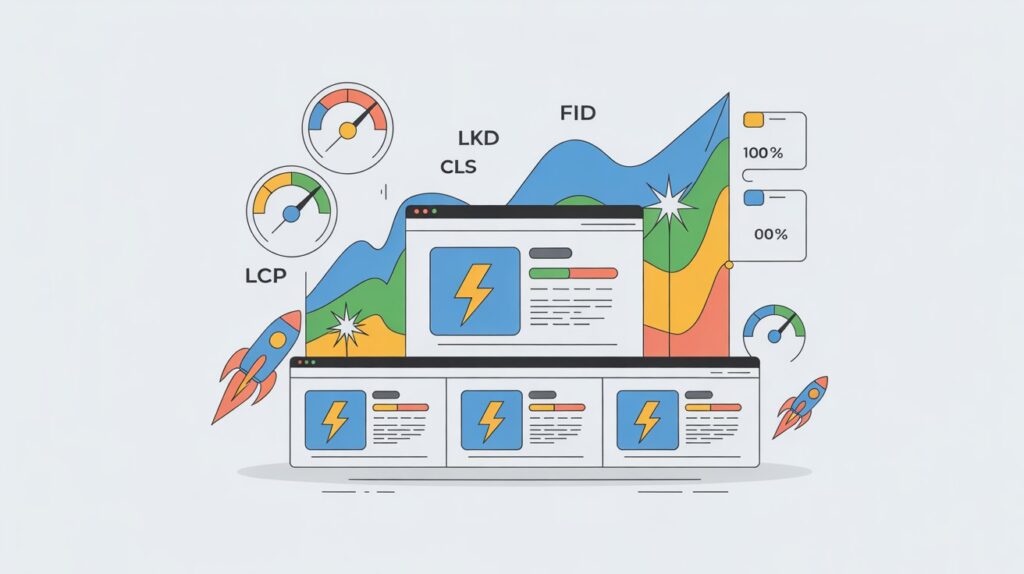
Site architecture affects how fast your page loads. A “heavy” architecture with too many scripts or poorly optimized images will hurt your Core Web Vitals (LCP, FID, CLS).
Optimizing Site Speed Through Leaner Architecture
Minimize the use of heavy plugins and excessive redirects. Use a Content Delivery Network (CDN) to serve your site’s architecture from the server closest to the user, reducing latency.
Managing Expired and Outdated Pages
How you handle the “end of life” for a page is just as important as how you launch it.
Using 301 Redirects vs. 404s for Site Maintenance
- 301 Redirect: Use this if you are moving a page to a new URL. it passes 90-99% of the SEO power.
- 404 Page: Use this only if the content is gone forever and has no logical replacement.
- 410 Gone: Tells Google the page is intentionally removed, so they stop crawling it faster than a 404.
Summary of the 15 Best SEO Practices
Clean Sub-directories.
Keyword-rich Anchor Text.Topic Clusters for authority.
Breadcrumb and Navigation.
Simplified Menus.
Hyphenated URLs.
Short Permalinks.
Siloing Content.
Canonicalization.
Faceted Navigation Control.
Responsive Mobile Design.
Dynamic XML Sitemaps.
Core Web Vital Optimization.
Strategic 301 Redirects.
FAQ’s
What is the 80/20 rule for SEO?
A: Focus on the 20% of SEO efforts (like high-quality content and backlink profile) that drive 80% of your organic traffic and rankings.
What are the 4 pillars of SEO?
A: The four pillars are Technical SEO (site health), On-Page SEO (content/keywords), Off-Page SEO (backlinks/authority), and Content/User Experience (relevance/value).
What are best SEO practices?
A: They are the standard guidelines and such as mobile optimization, targeting keyword intent, and fast loading speeds—used to help search engines find, index, and rank your content.
What is website architecture in SEO?
A: It is the hierarchical structure and organization of your website’s pages, ensuring both users and search engine crawlers can navigate and find information efficiently.
Conclusion
Website architecture is the bridge between your content and the search engine. By implementing these 15 Best SEO Practices, you aren’t just “fixing SEO” but you are building a better experience for your customers. because a site that is easy to crawl is easy to rank.


